Laptop not charging? This problem suddenly appears, it can be frustrating—especially when you rely on your device every day. The good news is that many causes of a laptop not charging issue are simple and fixable at home.
Table of Contents
- Why Is Your Laptop Not Charging?
- 5 Quick Fixes for Laptop Not Charging
- When to Seek Professional Help
Why Is Your Laptop Not Charging?
A laptop not charging issue can happen due to:
- Faulty charger or cable
- Damaged charging port
- Battery wear and tear
- Software or driver issues
- Incorrect power settings
1. Check Your Charger and Cable (Most Common Fix)
A damaged charger is the #1 cause of a laptop not charging problem.
- Look for frayed wires
- Try a different charger
- Ensure the wall outlet works
👉 For official guidance, visit Dell Support.
2. Inspect the Charging Port for Damage
Your laptop not charging issue may be due to dirt or damage inside the port.
- Use a flashlight to inspect
- Clean with compressed air
- Avoid inserting metal objects
3. Update or Reset Battery Drivers
Sometimes, the laptop not charging issue is software-related.
- Open Device Manager
- Reinstall battery drivers
- Restart your laptop
👉 You can also follow steps from Microsoft Support.
4. Check Your Power Settings
Improper settings can prevent charging.
- Reset power plan to default
- Disable battery limits
- Check manufacturer battery tools
5. Perform a Power Reset
This simple trick often fixes it:
- Shut down the laptop
- Remove battery (if possible)
- Hold power button for 20 seconds
- Restart
Image (SEO Optimized)
Alt text: laptop not charging
When to Seek Professional Help
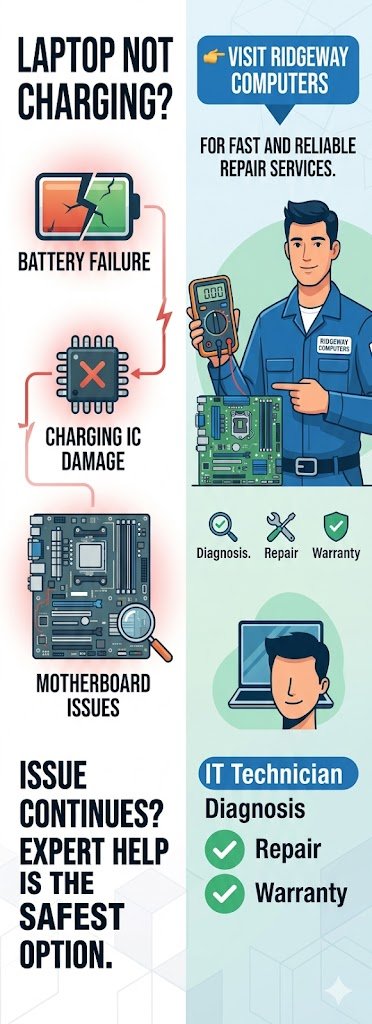
If issue continues, it could be:
- Battery failure
- Charging IC damage
- Motherboard issues
At this point, expert help is the safest option.
👉 Visit Ridgeway Computers for fast and reliable repair services.
Conclusion
This problem can feel serious, but many fixes are quick and simple. Try these 5 powerful solutions before replacing your device.
If nothing works, bring your laptop to Ridgeway Computers for professional diagnosis and repair.