Table of Contents
- Why You Might Have Lost Data
- 5 Critical Steps to Recover Lost Data
- What NOT to Do After Losing Data
- When to Get Professional Help
Why You Might Have Lost Data
If you’ve lost data, you’re not alone. It happens more often than you think—and usually at the worst time.
Common reasons people lose data:
- Accidentally deleting files
- Laptop or computer crash
- External hard drive not showing up
- Virus or malware attack
- Power failure or sudden shutdown
The key thing to understand: when you’ve lost data, it’s often still recoverable—but timing is critical.
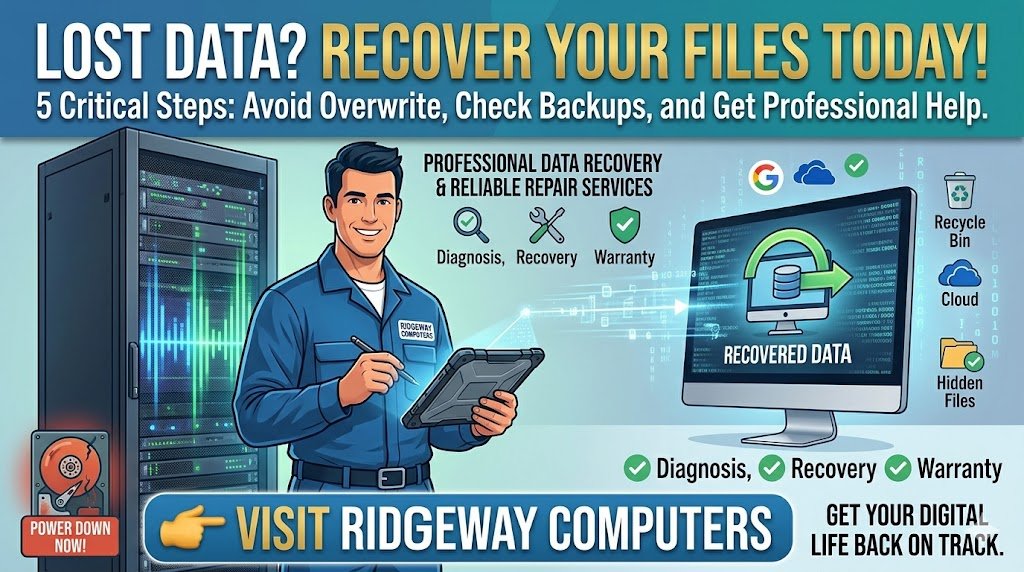
1. Stop Using Your Device Immediately
If you’ve just lost data, stop using your computer or laptop right away.
Why?
Because new activity can overwrite your lost files, making recovery much harder—or impossible.
2. Check the Simple Things First
Before assuming the worst, check:
- Recycle Bin or Trash
- Different USB port
- Another computer (for external drives)
Many “lost data” situations are actually simple connection issues.
3. Look for Backups
If you’ve lost data, you might already have a backup without realizing it:
- Cloud storage (Google Drive, OneDrive)
- External backup drives
- Automatic system backups
👉 You can learn more about backup recovery options from Microsoft Support.
4. Try Trusted Recovery Software (Carefully)
If you still haven’t recovered your lost data, you can try recovery software like:
- Recuva
- EaseUS Data Recovery Wizard
⚠️ Important:
Only install recovery software if necessary—and avoid installing it on the same drive where you lost data.
5. Get Professional Help Before It’s Too Late
If your files are important and you’ve still lost data, don’t take risks.
Serious issues like:
- Clicking hard drives
- SSD failure
- Corrupted systems
require expert handling.
👉 Visit Ridgeway Computers for safe and professional help recovering lost data.
What NOT to Do After You’ve Lost Data
Avoid these common mistakes:
- ❌ Don’t keep restarting your computer
- ❌ Don’t install random software from the internet
- ❌ Don’t try to open or repair hardware yourself
- ❌ Don’t ignore the problem and wait
These actions can make your lost data permanently unrecoverable.